Why is WordPress Still Popular? The Ultimate Guide
|
Getting your Trinity Audio player ready...
|
In 2025, when you are building a website, you, most likely, have heard about WordPress. However, there are so many other modern website builder applications and content management systems out there, you would ask yourself the question: why is WordPress still so popular?
The solution is not complicated but rather deep: WordPress has grown as a simple blogging tool to the most powerful, flexible, and trusted content management system in the world and it still dominates the web.
In this comprehensive guide, we’ll explore exactly why WordPress remains the top choice for millions of website owners, from individual bloggers to Fortune 500 companies.
WordPress Market Share: The Numbers Tell the Story
Before diving into the “why,” let’s look at the staggering numbers that prove WordPress’s dominance: Current WordPress Statistics (2025):
-
- WordPress is used by 43.6% of all existing websites on the internet.
- WordPress is preferable to other websites that use a CMS by 62%.
- Powering 455+ million websites around the world.
- Each day 500 + new WordPress sites are launched.
- 17 blog posts every second published through the WordPress platforms.
- WordPress related searches on Google 37+ million searches per month.
What is important here though is what WordPress is doing is not merely holding its own ground but it is expanding. Five years back, WordPress controlled 25.6% of the web. Nowadays this number has increased up to more than 41%. Where other competitors such as Joomla and Drupal have been losing market share, WordPress is still growing.
This sustained growth in a competitive market proves that WordPress isn’t surviving on past reputation—it’s thriving through genuine value delivery. e
10 Core Reasons Why WordPress Remains the Top CMS
1. WordPress is Completely Free (Zero Cost Barrier)
WordPress itself is totally free of charge. Take all of it and download it on WordPress.org, or on any other hosting provider and create your webpage without the need to pay a license fee, a subscription, or any other artificial constraints.
What “Free” Really Includes:
- Full core WordPress functionality with no restrictions
- 60,000+ free plugins adding every imaginable feature
- 11,000+ free professional themes
- Regular updates and security patches
- Complete access to all features (no “premium” upsells for basics)
Cost Comparison:
- WordPress: $0 for software + $3-50/month for hosting
- Shopify: $29-299/month minimum
- Squarespace: $16-49/month minimum
- Wix: $16-45/month minimum
- Enterprise CMS (Sitecore, Adobe): $50,000-500,000+ annually
Your only required expenses are domain registration ($10-15/year) and web hosting ($3-100+/month depending on traffic). Total first-year costs can be under $100 for basic sites.
This low-cost makes web publishing democratic in that small business, nonprofits, students, and entrepreneurs anywhere can create professional web-based presences without having to invest a lot of capital.
2. Open-Source Architecture Creates Collective Innovation
WordPress is not only an open-source product, but a philosophy that has revolutionized web development.
The Open-Source Advantage:
Transparency and Security: The code of WordPress is reviewed by thousands of developers all around the globe, and the vulnerabilities can be found and repaired at a much faster rate than an individual company could do.
Continuous Innovation: Developers around the world make improvements, produce plugins, design themes, and unique solutions all being built upon the work of others.
No Vendor Lock-In: The open-source also means that you are not in the hands of a single company that might raise the prices or stop the service or even shut down.
Thriving Marketplace: The open architecture has created entire industries:
- Theme marketplaces like ThemeForest with thousands of designs
- Plugin developers creating specialized solutions
- Hosting companies optimizing specifically for WordPress
- Agencies specializing in WordPress development
- Educational platforms teaching WordPress skills
Enterprise Support: Google, Facebook, and Microsoft are major companies that contribute to the development of WordPress, which guarantees enterprise-grade quality and continuous innovation.
It is this aggregate intelligence, thousands of minds working out issues instead of one development team, that has made WordPress both cutting-edge and yet stable and accessible.
3. Massive Plugin Ecosystem Adds Unlimited Functionality
WordPress’s plugin architecture is arguably its greatest strength. Need a feature? There’s almost certainly a plugin for it.
By the Numbers:
- 60,000+ plugins available across official and third-party sources
- Every imaginable functionality already created by developers worldwide
- Free and premium options for every budget and requirement
Essential Plugin Categories:
SEO & Marketing: Yoast SEO, Rank Math, All in One SEO Pack will make WordPress an SEO powerhouse with content analysis, schema markup and optimization options.
E-commerce: WooCommerce serves more than one-fourth of all online stores around the world, transforming WordPress into a complete shopping platform, complete with payments, inventory and shipping connections.
Performance: Caching Plugins such as WP Rocket, W3 Total Cache and others drastically enhance loading speeds by caching of pages, caching of browser and optimizing of code.
Security: Wordfence, Sucuri, and iThemes Security secure the site with firewalls, malware detection, 2-factor authentication, and security strengthening.
Page Builders: Elementor, Beaver Builder, and Divi provide drag-and-drop visual editing, creating sophisticated layouts without coding.
Forms & Lead Generation: Contact Form 7, WPForms, and Gravity Forms create contact forms, surveys, payment forms, and lead capture tools.
Backup & Migration: UpdraftPlus, BackupBuddy, and Duplicator ensure you can restore your site if anything goes wrong and migrate between hosts easily.
A Word of Caution: The quality of plugin greatly differs. Use credible sources learners should use the official WordPress library, existing online market places such as ThemeForest and Codecanyon, and reputable developers that have a history of success. Excessive installation of various types of plugins can cause it to be slow and security may be compromised, thus be selective: quality rather than quantity.
4. Unmatched Versatility: Build Any Type of Website
WordPress’s humble beginnings date back to 2003, when it was only a blogging platform. Then it evolved into a fully functional CMS that can power every type of website you can think of today.
What You Can Build with WordPress:
Blogs and Publications: WordPress’s strength has always been and will be its powerful publishing features. In addition to robust multimedia capability, it provides features such as scheduling, editing processes, categories, and tags. Notable media outlets that have opted to use WordPress include TechCrunch, BBC America, The New Yorker, and The New Yorker.
Business Websites: WordPress powers the online presence of small individual enterprises to Fortune 500 companies. A mix of custom post types, professional themes, and high-performing page builders results in the creation of reliable and well-designed websites.
E-commerce Stores: WordPress becomes a full-fledged e-commerce platform with the help of WooCommerce. It takes care of subscriptions and products, payments, shipping, inventory, and customer interactions.
Portfolio and Creative Showcases: Creative professionals can effectively display their work using WordPress portfolio themes. These themes often include galleries, lightboxes, and project case studies, making them an excellent choice.
Membership and Community Sites: BuddyPress and MemberPress, among other plugins, offer membership management, content restriction, forum, and social networking features, simplifying the creation of members-only areas.
Online Learning Platforms: Tutor LMS, LearnDash, LifterLMS are all the type of systems that convert WordPress into effective learning management systems. They are to deal with the handling of payments processing, certificate creation, tracking the progress of students, and provide courses.
Business Directories: Create yellow pages like directories, restaurant directories, real estate directories, job board or any other categorized directory structure using specialized plugins.
Booking and Reservations: Handle appointment scheduling for service businesses, event ticketing, hotel reservations, rental management, and table bookings directly through WordPress.
This versatility protects your long-term investment. A blog can become a global e-commerce with all its resources without the need to switch platforms (and incur the expenses of switching platforms in the future).
5. WordPress is Built for Search Engine Optimization
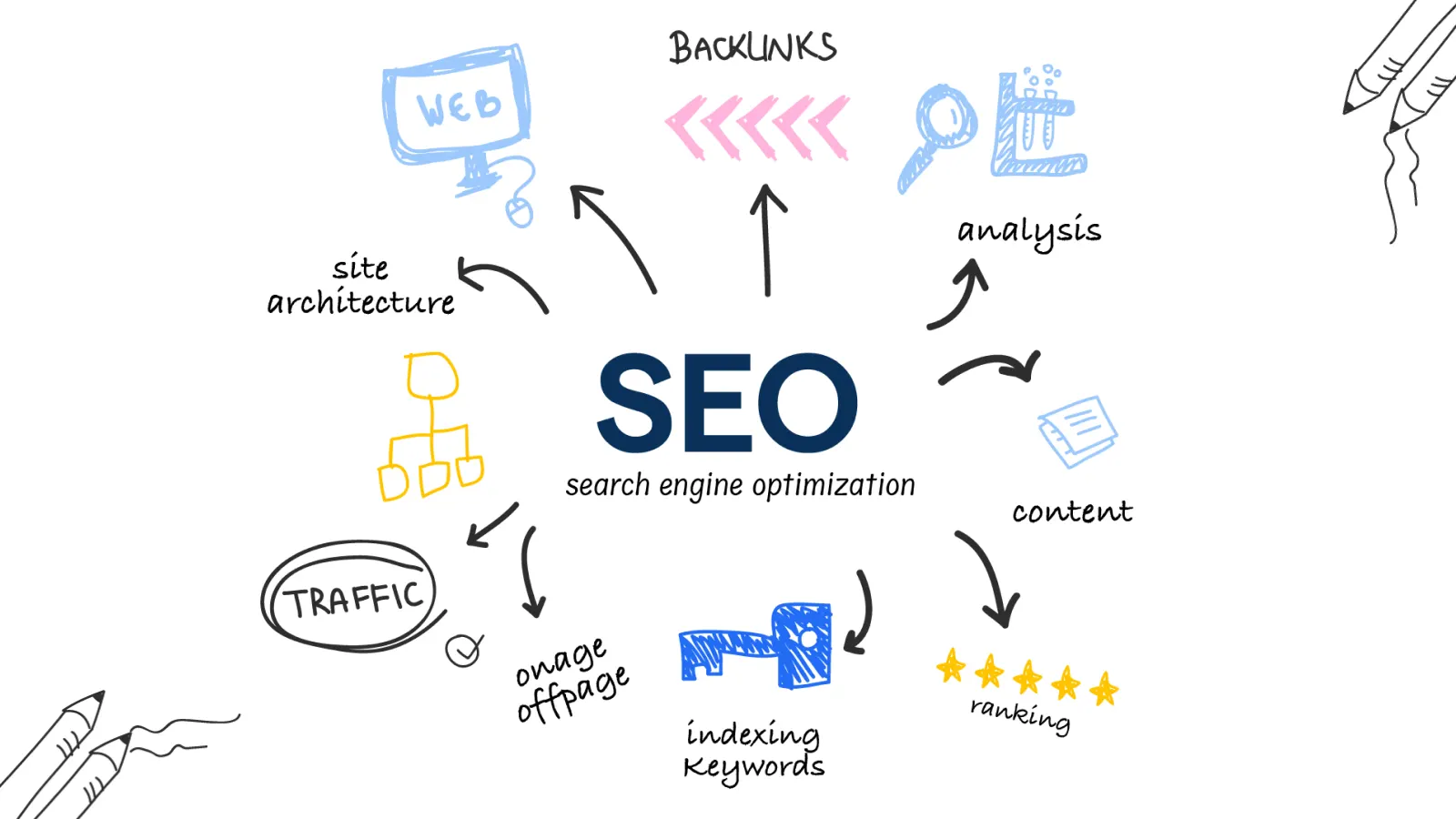
Search engine optimization defines the difference between a found and an invisible web site. The groundbreaking design of WordPress is SEO-friendly.
Core SEO Features in WordPress:
Clean, Semantic Code: WordPress produces clean HTML which cannot be easily crawled and interpreted by search engines, and is compliant to web standards and best practice, which Google rewards.
SEO-Friendly URL Structure: Complete control over permalink structure allows creating readable URLs like “yoursite.com/best-wordpress-plugins” instead of messy strings like “yoursite.com/?p=123”.
Meta Control: Each page and post can have its own custom title tags and meta descriptions, the text that is shown in search results and that influences the rate of clicking on.
Proper Heading Hierarchy: WordPress themes properly structure content with H1, H2, H3 tags signaling content importance to search engines and improving accessibility.
Mobile-First Responsive Design: Google’s mobile-first indexing prioritizes mobile-friendly sites. WordPress themes are inherently responsive, automatically adapting to all screen sizes.
Fast Loading Capabilities: WordPress core is lightweight and optimized. While plugins can impact speed, the foundation allows excellent performance with proper optimization.
Powerful SEO Plugins:
Yoast SEO (10+ million installations): Offers real time content analysis, readability rating, suggestions of key word optimization, schema mark up, breadcrumbs, and XML sitemap production- takes enterprise level SEO to any WordPress site.
Rank Math: Provides AI-based SEO recommendations, key-word monitoring, Google search console and enhanced schema markup with easy to use interface.
All in One SEO Pack: Simple to use extensive toolkit with local search characteristics, social media integration, more sophisticated XML sitemap controls, and TruSEO content examination.
Technical SEO Handled Automatically:
- Canonical URLs preventing duplicate content issues
- Proper pagination for multi-page archives
- RSS feeds for content distribution
- Structured data and schema markup capabilities
- International SEO with hreflang tags (via plugins)
WordPress is considered to be the most search engine friendly platform as its solid technical base, robust plugins, and content-driven design make it one of the most suitable.
6. Scales Seamlessly from Startup to Enterprise
Scalability is one of the strengths of WordPress that is highly underrated. WordPress makes a difference whether you begin with 10 visitors a day or need to operate with 10 million.
Small Scale Excellence: WordPress can perform excellently with a budget shared hosting of between 3-10/month. A simple blog or small business web site is effective at the lowest level of resources.
Mid-Scale Growth: With the traffic reaching thousands of daily visitors, WordPress is also scalable to VPS or managed WordPress hosting. Add caching plugins, CDN integration, and optimization tools without platform changes.
Enterprise-Level Power:
Major Brands Using WordPress:
- The New York Times serves millions of visitors with breaking news and multimedia
- TechCrunch handles massive traffic spikes during major tech announcements
- Sony Music manages complex multimedia content for global audiences
- Microsoft News distributes news content worldwide
- The Walt Disney Company uses WordPress for various properties
How WordPress Achieves Scalability:
Modular Architecture: Add functionality only when needed. Start minimal and expand as requirements grow.
Advanced Caching: Object caching, page caching and database caching enhance performance by a large margin. High loads are put on Redis, Memcached and caching plugins.
Content Delivery Networks: Cloudflare, Amazon CloudFront, and StackPath integration Easy content distribution in any part of the world at reduced server load.
Load Balancing: Large installations spread the traffic over several servers with the result that the traffic spikes are not affected in relation to uptime.
Multisite Capabilities: WordPress Multisite manages hundreds or thousands of websites from a single installation—perfect for enterprises, universities, or publishing networks.
The common scaling model: Shared hosting, Managed WordPress hosting, VPS/Cloud hosting, Dedicated /Enterprise hosting. WordPress automatically changes to meet infrastructure changes without requiring the reconstruction of your site.
Dedicated /Enterprise hosting. WordPress automatically changes to meet infrastructure changes without requiring the reconstruction of your site.
7. Massive Global Community Provides Endless Support
WordPress is not only software, but a movement all over the world. WordPress community is an example of millions of people who work together, support one another, and promote the platform.
Community Resources:
500+ WordCamps Annually: Lower priced conferences (usually $20-40 tickets) organized across the globe with professional speakers, workshops, networking, and contributor days on which you can give back to WordPress.
1,000+ Local Meetup Groups: Monthly events across the globe where WordPress enthusiasts can meet each other, talk about WordPress, and network.
Official Support Forums: WordPress.org forums are forums where users freelance with members of the wider community that offer free support on core WordPress, themes and plugins.
Extensive Documentation: There is a rich technical documentation on WordPress Codex and Developer Handbook which contains all the details of development and use.
Educational Resources:
- WordPress.tv: Free video tutorials and WordCamp presentations
- WPBeginner: Free tutorials for beginners
- WP101: Video training courses
- LinkedIn Learning, Udemy: Structured WordPress courses
- YouTube: Thousands of free educational videos
Developer Community: Open-source contributors continuously improve WordPress core. Anyone can report bugs, suggest features, or submit code improvements.
Translation Teams: WordPress is available in 200+ languages thanks to volunteer translators, making the platform truly global.
Economic Ecosystem: WordPress has generated its own economy that consists of freelance developers, agencies, plugin and theme developers, hosting companies, and consultants in other words, whatever the problem you are dealing with, there exists a specialist in it.
This collective knowledge base represents billions of dollars in expertise freely available to anyone using WordPress. You’re never truly stuck—help is always available.
8. Complete Content Control and True Ownership
During a time when platforms shift regulations, raise costs, or vanish, WordPress is providing an experience that is becoming more and more difficult to find: actual control over your online property.
You Own Everything:
As opposed to the proprietary platforms where content resides on their servers, according to their conditions, WordPress provides full ownership. Your data, site, information, everything is yours.
Host Anywhere: Dissatisfied with where you are now? Export and go to another place. This is because of portability that eliminates the vendor lock-in.
Export Freedom: Built-in export tools bundle your complete site – content, images, comments, and all – into portable formats. You’re never trapped.
Advanced Content Management:
Role-Based Permissions: WordPress includes sophisticated user management:
- Administrator: Complete control
- Editor: Publish and manage all posts
- Author: Write and publish their own posts
- Contributor: Write and edit (but cannot publish)
- Subscriber: Basic profile management
Revision History: WordPress keeps all the changes of the content. Made a mistake? One click to go back to any earlier version.
Scheduled Publishing: Write when you are inspired, publish when your readers are most likely to be interested. Post on a schedule ahead of time to the minute.
Content Organization:
- Categories: Hierarchical organization for broad grouping
- Tags: Flexible keywords for detailed description
- Custom Taxonomies: Create your own classification systems
- Custom Post Types: Extend beyond posts and pages
The Gutenberg Block Editor:
Introduced in 2018, Gutenberg revolutionized WordPress content creation:
- Block-based approach: Each content element (paragraph, image, video, quote) is a discrete block
- Drag-and-drop interface: Rearrange content effortlessly
- Reusable blocks: Save custom layouts for repeated use
- No coding required: Create sophisticated layouts visually
Full-Site Editing: WordPress is currently being extended to enable visual editing of headers, footers, sidebars, and templates without writing any code.
9. No Technical Knowledge Required to Get Started
Probably the most democratic aspect of WordPress is accessibility. You do not require programming, designing or IT skills to make and manage a professional site.
Intuitive Dashboard: WordPress user interface is written in understandable language and is well-structured. The categories of options are organized in a reasonable manner: Posts, Pages, Media, Comments, Appearance, Plugins, Users, Settings.
Visual Content Creation: The block editor is a word processor. Wordsworth can be used in case you can use either Microsoft word or Google Docs. Drag and drop images into the page, dropdown menus create a heading, standard buttons format text.
No Coding for Customization: Customize colours, fonts, layout and styles using visual customizers. Preview changes in real-time and make changes before publication.
One-Click Installation: The majority of hosting platforms have one-click WordPress installations. In minutes, WordPress can be installed by clicking a button, typing your password as the administrator, and WordPress is ready.
Simple Theme and Plugin Management:
- Search for what you need
- Click “Install”
- Click “Activate”
- Configure through intuitive interfaces
Progressive Learning Curve:
WordPress accommodates skill growth:
- Beginners: Use themes and plugins as-is, manage content through the dashboard
- Intermediate: Customize CSS, understand widgets and menus, use advanced plugins
- Advanced: Edit theme files, create child themes, understand WordPress hooks
- Expert: Develop custom themes, create plugins, optimize databases
You can succeed at any level. WordPress grows with you rather than overwhelming you from the start.
Real-World Accessibility:
Non-technical people successfully manage WordPress sites daily:
- Bloggers focus on writing, not coding
- Small business owners update their own sites
- Nonprofits manage content internally
- Teachers create educational websites
- Artists showcase portfolios without hiring developers
This accessibility has democratized web publishing, allowing anyone with ideas to build an online presence regardless of technical background.
10. Mobile-Responsive Design is Standard
Responsive design is necessary with more than 60 percent web traffic on smartphones and tablets. WordPress realized this early enough and made adjustments.
Responsive by Default: The Modern WordPress themes incorporate the concept of responsive design, scaling layouts based on the screen size:
- Desktop computers (large screens)
- Laptops (medium screens)
- Tablets (small to medium screens)
- Smartphones (small screens)
One Site, All Devices: One Site, everything devices: No special mobile site required. WordPress does not require desktop and mobile sites (such as m.yoursite.com). One site, one codebase, optimized viewing everywhere.
Quality Assurance: WordPress themes on the official directory are required to successfully complete mobile-friendly tests, and any theme granted to the directory will be mobile-optimized by default.
Touch-Optimized: Responsive themes do not simply reduce content, but are optimized to interact with a touch. Buttons are expanded, menus get turned into hamburger symbols, navigation has been changed to suit thumbs and not mouse cursors.
Mobile Performance: WordPress themes give emphasis to mobile loading speed since mobile connections are usually faster. The use of lazy loading, image optimization, and mobile-specific code reduction can be identified as the modern ones.
WordPress Mobile App: Manage your site from anywhere:
- Publish posts and pages
- Upload photos from your phone
- Respond to comments
- Monitor statistics
- Moderate content
SEO Benefits: Google’s mobile-first indexing means search engines primarily use mobile versions for ranking. WordPress’s mobile-responsive nature ensures you don’t lose SEO value.
WordPress vs Modern Alternatives: Making the Right Choice
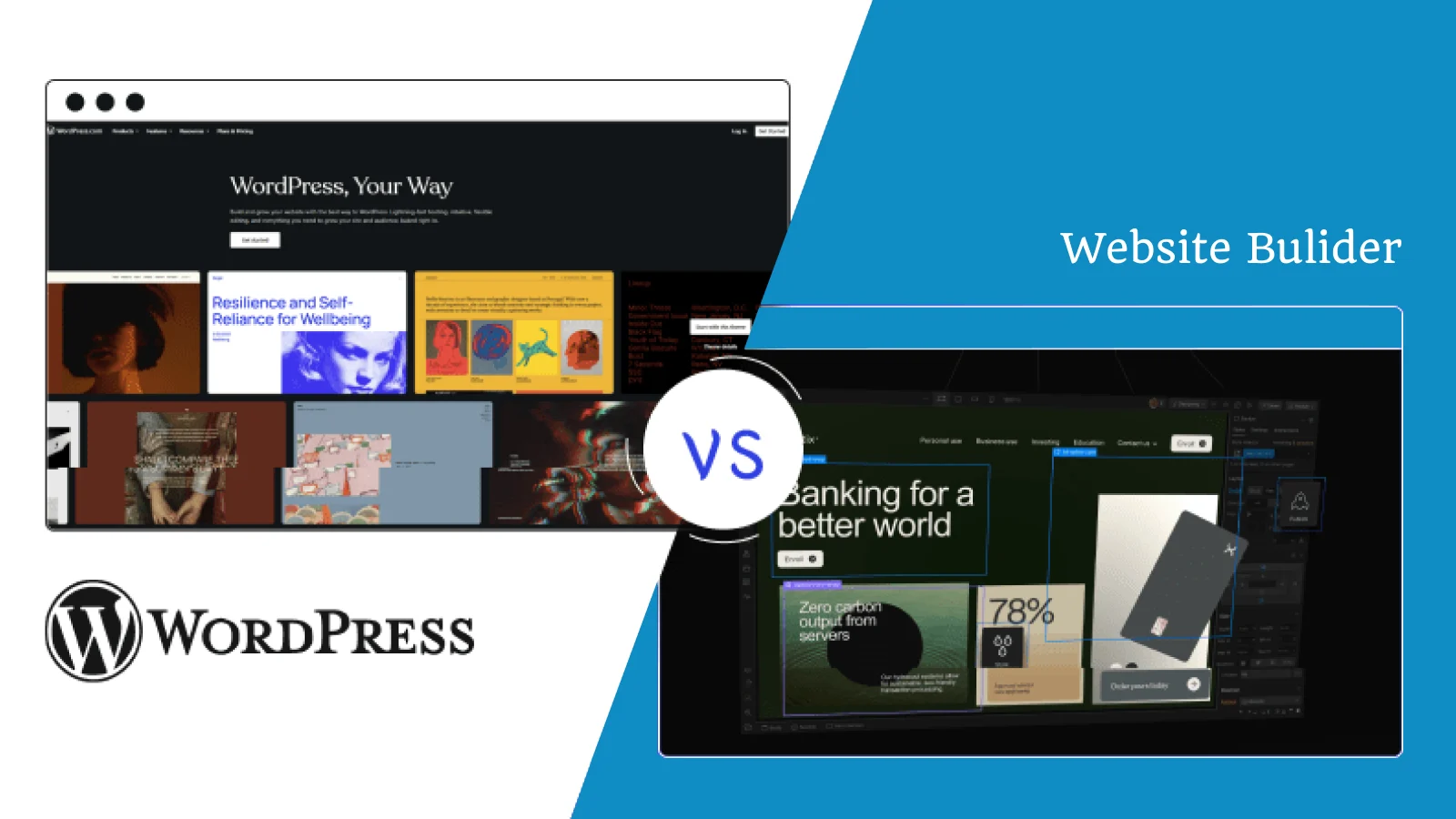
Knowledge of the comparison of WordPress with the alternatives assists you to make wise choices with regard to your unique needs.
WordPress vs Traditional CMS Competitors
WordPress vs Joomla: Joomla, which is more complex in its out of the box user management, is also harder to learn, less popular and has fewer extensions. WordPress is simpler and yet strong.
WordPress vs Drupal: Drupal can be used in large business with its own development team and needs great technical skills. WordPress achieves the same outcomes with much less complexities.
WordPress vs Website Builders (Wix, Squarespace): It is simpler to start with these and offers drag-and-drop builders, however, there is less flexibility, less customization, vendor lock-in, and higher costs in the long term. WordPress is more controlled and better valued.
WordPress vs Shopify: Shopify is better in terms of e-commerce but not content-intensive websites or non-commerce. WordPress and WooCommerce have e-commerce and unlimited content features.
The Headless CMS Discussion
The modern world has led to the emergence of headless CMS and composable architecture as a substitute to the traditional platform such as WordPress.
What is Headless Architecture? Conventional CMS systems have the content management system (backend) and the presentation system (frontend) integrated into a single system. These are divided in Headless architecture:
- Backend: Headless CMS (Contentful, Sanity, Strapi) manages content
- Frontend: Separate framework (Next.js, Gatsby, Nuxt) handles presentation
- APIs: Connect the two, allowing content to flow to multiple channels
Headless Advantages:
- Better performance based on statical generation.
- Omnichannel content delivery (sites, applications, internet of things, IoT-based devices)
- Modern frameworks give the developer freedom.
- Increased security by segregated issues.
- Independent component scaling
Headless Disadvantages:
- Much more complexity and developers are needed.
- Increased start-up development expenses.
- Astute content editors have a steep learning curve.
- Reduced plugin ecosystem
- Increased complexity of maintenance.
- Possibly unreliable expenses in relation to API use.
When WordPress Remains Better: WordPress excels for:
- Small to medium businesses that require fast affordable deployment.
- Websites that have more content (blogs, news, magazines).
- Cost-cutter ventures that reduce the development expenditure.
- Non-technical staff that require user-friendly interfaces.
- Agile development schedules.
- Change in demand that requires flexibility.
- Content marketing e-commerce.
When to Consider Alternatives: Headless/composable architecture suits:
- Projects that have specific development resources.
- Applications that are critical of milliseconds in determining revenue.
- Critical content distribution of omnichannels.
- Industries that need an extreme level of security.
- Super-personalised experiences combating CMS restrictions.
- Future-proof architecture (5-10 and more years) is very long-term.
The Hybrid Option: Headless WordPress Don’t overlook using WordPress as a headless CMS—combining WordPress’s content management backend with modern JavaScript framework frontends. This provides middle ground: WordPress’s content management strengths with modern frontend performance.
Common WordPress Challenges and Solutions
No platform is perfect. Let’s honestly address WordPress challenges and how to overcome them.
Security Concerns
The Challenge: WordPress’s popularity makes it a target for hackers. Many attacks exploit outdated plugins, weak passwords, or unpatched vulnerabilities.
The Solutions: Keep Everything Updated: Enable automatic updates for WordPress core, themes, and plugins. Updates frequently include security patches.
Use Security Plugins: Install reputable security tools:
- Wordfence: Firewall, malware scanning, login security
- Sucuri: Security monitoring, malware cleanup, firewall
- iThemes Security: Multiple security features and hardening
Strong Authentication:
- Use complex, unique passwords
- Implement two-factor authentication
- Limit login attempts
- Change default “admin” username
Regular Backups: Automated backup solutions (UpdraftPlus, BackupBuddy) ensure site restoration if anything goes wrong.
Quality Hosting: Reputable WordPress hosts include security features like malware scanning, firewalls, and automatic updates.
Follow these practices, and WordPress is as secure as any platform.
Plugin Bloat and Performance
The Challenge: Installing too many plugins slows performance and increases security risks.
The Solutions: Quality Over Quantity: Install only necessary plugins from reputable developers with good ratings and regular updates.
Regular Audits: Quarterly, review all plugins:
- Is this still necessary?
- Is it actively maintained?
- Are there better alternatives?
Performance Testing: Use GTmetrix or Pingdom to test speed. Disable plugins individually to identify performance culprits.
Optimization Plugins: Use strategically:
- Caching: WP Rocket, W3 Total Cache
- Image Optimization: Smush, ShortPixel
- Code Minification: Autoptimize
- CDN Integration: Cloudflare, BunnyCDN
Database Optimization: Regularly clean post revisions, spam comments, and transient data.
Performance Optimization
The Challenge: Out-of-the-box WordPress may not achieve optimal performance without optimization.
The Solutions: Quality Hosting: Start with a solid foundation. Managed WordPress hosts optimize server-level performance automatically.
Caching Strategy:
- Page caching: Store HTML copies
- Object caching: Cache database queries
- Browser caching: Store static files locally
Image Optimization:
- Compress images before uploading
- Use modern formats (WebP)
- Implement lazy loading
- Serve appropriately sized images
Content Delivery Network: CDNs distribute files globally, reducing server load and improving worldwide load times.
Minimal Theme: Choose lightweight, well-coded themes built for performance.
With proper optimization, WordPress sites achieve excellent Core Web Vitals scores and compete with any platform on performance.
The Future of WordPress: What’s Coming?
WordPress continues evolving to meet changing web needs. Here’s what’s ahead:
Full Site Editing Maturity
The Gutenberg project transforms WordPress into a complete visual site builder:
- Complete visual editing of every site element
- Block-based themes with maximum customizability
- Global styles defining site-wide design
- Template parts for reusable sections
- No-code customization achieving custom designs
Performance Enhancements
The WordPress core team prioritizes performance:
- Core code optimization
- Lazy loading for images and iframes
- WebP image format support
- Server-side rendering improvements
- Database query optimization
Enhanced Security
Security remains paramount:
- Two-factor authentication in core
- Enhanced user role capabilities
- Application passwords for API authentication
- Automated security scanning
- Better default security posture
Artificial Intelligence Integration
AI capabilities are coming:
- Content generation assistance
- Image creation and editing
- SEO optimization suggestions
- Automated alt text generation
- Translation improvements
These innovations ensure WordPress remains cutting-edge while maintaining accessibility.
Is WordPress Right for Your Project?
After exploring WordPress comprehensively, here’s how to decide:
Choose WordPress If You:
✅ Need to launch quickly without months of development
✅ Have limited technical expertise and want self-management
✅ Want to minimize costs while achieving professional results
✅ Need flexibility to add features as requirements evolve
✅ Value extensive resources, tutorials, and community support
✅ Plan to publish content regularly
✅ Want proven reliability powering millions of successful sites
✅ Need strong SEO capabilities
✅ Require e-commerce functionality without custom development
✅ Want complete content ownership without vendor lock-in
Consider Alternatives If You:
❌ Have substantial development resources wanting cutting-edge architecture
❌ Need absolute maximum performance where milliseconds critically impact revenue
❌ Require omnichannel distribution as a primary requirement
❌ Have highly unique requirements fighting CMS conventions
❌ Can invest significantly upfront for long-term advantages
❌ Have in-house developers skilled in modern JavaScript frameworks
Getting Started with WordPress: Quick Start Guide
Ready to begin? Here’s your roadmap:
Step 1: Choose WordPress.org (Self-Hosted)
Download free WordPress software and install on your chosen hosting. This provides complete control and flexibility.
Step 2: Select Reliable Hosting
Options:
- Shared Hosting ($3-10/month): Beginners, low traffic – Bluehost, SiteGround
- Managed WordPress ($20-50/month): Optimized with expert support – WP Engine, Kinsta
- VPS Hosting ($20-100/month): More resources as you scale – DigitalOcean, Linode
Step 3: Install WordPress
Most hosts offer one-click installation:
- Log into hosting control panel
- Find “WordPress” or “Quick Install”
- Choose domain and directory
- Set admin credentials
- Click install (takes minutes)
Step 4: Install Essential Plugins
Must-haves:
- Security: Wordfence or Sucuri
- SEO: Yoast SEO or Rank Math
- Backups: UpdraftPlus
- Performance: WP Rocket or W3 Total Cache
- Contact Form: Contact Form 7 or WPForms
Step 5: Choose and Customize Your Theme
Browse WordPress.org themes (free) or ThemeForest (premium). Customize through Appearance > Customize.
Step 6: Create Essential Pages
- Home (compelling introduction)
- About (your story and credibility)
- Services/Products (what you offer)
- Blog (content marketing)
- Contact (multiple ways to reach you)
Step 7: Start Publishing Content
Focus on quality over quantity. Research keywords, create valuable content, optimize with headings and images, publish consistently.
Step 8: Optimize for Search Engines
- Submit sitemap to Google Search Console
- Configure SEO plugin
- Optimize every page (title, description, headings)
- Build internal links
- Improve page speed
- Monitor and improve continuously
WordPress is a journey. Continuous improvement yields results.
Conclusion: Why WordPress Popularity Endures
WordPress continues dominating the web because it solves real problems for real people. It democratized website creation, making professional web presence accessible to anyone regardless of technical skill or budget.
The numbers prove it: 43% of all websites, 62% of CMS websites, sustained growth over decades, and millions of success stories across every industry.
WordPress succeeds through:
- Powerful functionality with user-friendly interface
- Zero cost entry with unlimited scalability
- Complete ownership and flexibility
- Vast resources and active community
- Proven reliability across 22+ years
- Continuous innovation meeting modern needs
WordPress isn’t perfect. It requires optimization for maximum performance and faces security challenges from its popularity. But for the vast majority of websites, WordPress remains the optimal choice.
The real question isn’t whether WordPress is popular—it clearly is. The question is whether it’s right for YOUR specific needs.
For most website owners, content creators, businesses, and developers, the answer is a resounding yes.
Start your WordPress journey today. Whether you’re building a personal blog, launching a business, creating an online store, or developing client websites, WordPress provides the foundation for success.
Join the 43% of the web powered by WordPress. Experience why this platform has dominated for over two decades and continues growing stronger.
Your website awaits. WordPress makes it possible.
Frequently Asked Questions About WordPress
Is WordPress still good for SEO in 2025?
Absolutely. WordPress’s clean code, mobile responsiveness, fast loading capabilities, powerful SEO plugins (Yoast, Rank Math), and content management features make it excellent for search engine optimization. Many top-ranking websites across industries use WordPress.
How much does WordPress really cost?
WordPress software is completely free. Your only required costs are hosting ($3-100+/month depending on traffic) and a domain name ($10-15/year). Premium themes and plugins are optional ($20-300). Total first-year costs can be under $100 for basic sites.
Can WordPress handle large enterprise websites?
Yes. Major brands including The New York Times, TechCrunch, Sony Music, and Microsoft News use WordPress. With proper hosting, caching, and optimization, WordPress scales to millions of visitors without performance issues.
Is WordPress difficult to learn?
Basic WordPress is highly user-friendly-in most cases users have their first content published hours. Development of more advanced forms of customization involves more learning, yet the access to skills can be achieved due to a variety of tutorials and community support.
Why is WordPress more popular than Wix or Squarespace?
WordPress is more flexible, does not have a vendor lock-in, full control of content, unlimited scalability, many customization features, superior SEO, and can be cheaper in the long run. Wix and Squarespace are easier to start with, but WordPress has more strength and control.
What percentage of the internet uses WordPress?
According to the 2025 statistics, WordPress is used on approximately 43.6% of all websites available in the internet today. WordPress, a content management system, has a market share of 62 % (among sites with a content management system).
Is WordPress losing popularity to newer platforms?
No. WordPress market share has increased by more than 25.6 to approximately 41.0 in the last five years. Though other sites such as Shopify and Wix have been able to attract users, WordPress has grown faster than the other sites.
Will WordPress still be relevant in 5-10 years?
With its established growth, ongoing development, huge community, endless innovation, and market leadership, WordPress, is, doubtlessly, going to be incredibly relevant in the predictable future. The platform has already managed to develop through 22+ years and has great momentum to keep going.
If you’re choosing WordPress for your next website — you’re already on the right path.
Now take the next best step and build it with Our Custom WordPress & WooCommerce
Development expert team.