
How to Automate Your Business with Low-Code & No-Code Automation
|
Getting your Trinity Audio player ready...
|
Every business has a graveyard of manual processes silently draining time, money, and morale. Low-code/no-code automation — the fastest-growing segment of the process automation software market — is ending this at a scale that’s reshaping entire organizations. Data copied between spreadsheets. Approvals lost in email chains. Customer onboarding is handled manually step by step by people who could be doing something far more valuable.
Low-code and no-code automation is the solution that’s ending this—and it’s doing so at a scale that’s reshaping how entire organizations operate.
Organizations using low-code workflow automation platforms report delivering applications up to 10 times faster than traditional development methods, while reducing costs by up to 70%. McKinsey reports that developing software using no-code or low-code applications could help cut development time by as much as 90%.
This isn’t theoretical. It’s happening right now across thousands of businesses worldwide, from healthcare to banking to logistics.
In this complete guide, you’ll learn exactly what low-code and no-code automation is, how it works, where it delivers the most value, how to avoid the mistakes that trip up most implementations, and which tools dominate the market in 2025. We’ve done the competitor research, analyzed the top-ranking content, and filled in every gap they missed.
What’s inside:
- What low-code/no-code automation actually means (and why the distinction matters)
- 12+ real-world use cases with results data
- Top 10 automation tools compared with honest pros and cons
- Step-by-step implementation guide for beginners
- Common challenges and how to solve them
- Future trends you need to prepare for now
Let’s start from the beginning.
What Is Low-Code/No-Code Automation?
Today’s low-code automation platforms and no-code business automation tools put this power directly into the hands of the people who understand the processes best — without requiring a single line of code or an IT ticket.
But that’s the surface definition. Here’s the deeper reality:
Before low-code and no-code automation existed, building any automated workflow required two things: a developer who understood programming languages, and weeks of time for them to build, test, and deploy. Most automation requests sat in IT backlogs for months—or never got built at all.
Low-code/no-code automation changes the equation entirely. Instead of waiting weeks for engineering cycles, no-code automation lets business teams deploy production-ready automation in a few hours or even minutes.
No-code automation refers to software platforms that empower businesses to automate their manual or repetitive work for efficiency and cost-savings. These tools optimize workflows with intuitive, user-friendly interfaces for citizen developers with no previous coding knowledge.
Think of it this way: low-code/no-code automation is the difference between hiring a contractor to install every light switch in your house versus having an app where you can control everything from your phone. One requires expertise, time, and money every single time you want a change. The other puts control directly in your hands.
The Three Automation Layers
Understanding where LCNC automation fits in your overall tech stack is critical:
Layer 1 — Task Automation: Single actions triggered by events. Email sent when form is submitted. Record created in CRM when lead captured. This is where most businesses start.
Layer 2 — Workflow Automation: Multi-step processes with conditional logic. If customer submits complaint → create ticket → assign to agent → send confirmation email → escalate if no response in 4 hours. This is where the real ROI lives.
Layer 3 — Process Automation: End-to-end business processes spanning departments, systems, and decision points. Full employee onboarding from offer letter to first-day access. Complete loan application from submission to approval. This is where enterprises find transformational value.
Low-code and no-code tools operate across all three layers, with different platforms excelling at each.
Low-Code vs No-Code vs Traditional Automation: Key Differences
The industry uses these terms interchangeably, but they’re not the same—and choosing the wrong approach will cost you time, money, and frustration.
Apart from no-code, there is also a separate “low-code” approach to software development. The two are close cousins, but low-code involves a level of programming knowledge that isn’t required in no-code development. For example, a low-code website builder tool might provide the same range of settings as the no-code tool for creating a website button. However, it may also offer an extra setting for accepting custom CSS input.
Here’s the complete breakdown:
|
Factor |
Traditional Automation |
Low-Code Automation |
No-Code Automation |
|
Who Builds It |
Developers only |
Developers + technical users |
Anyone (business users, analysts) |
|
Coding Required |
Extensive |
Minimal (10-20%) |
Zero |
|
Setup Time |
Weeks to months |
Days to weeks |
Hours to days |
|
Flexibility |
Unlimited |
High |
Moderate |
|
Cost |
High (developer time) |
Medium |
Low |
|
Maintenance |
Requires developers |
Technical oversight |
Business users manage |
|
Best For |
Mission-critical complex systems |
Enterprise workflows |
Departmental processes |
|
Learning Curve |
Steep |
Moderate |
Low |
|
Scalability |
Enterprise-grade |
Enterprise-grade |
Moderate to high |
When to Use No-Code Automation
Choose no-code when:
- Business users need to own and manage their own workflows
- Speed matters more than customization
- Processes are straightforward (trigger → condition → action)
- Your team has zero coding experience
- Budget is limited
When to Use Low-Code Automation
Choose low-code when:
- You need custom logic beyond what visual tools offer
- Integration with complex legacy systems is required
- Enterprise-grade security and compliance are non-negotiable
- You’re building automated workflows that will serve thousands of users
- Developers are available to extend platform capabilities
When Traditional Development Is Still Necessary
Stick with traditional development when:
- The automation involves highly specialized algorithms (AI model training, real-time financial calculations)
- Security requirements exceed what any platform can deliver
- You need complete ownership of the underlying code
- The process is so unique that no existing platform can handle it
The honest answer for most businesses: Start with no-code. Move to low-code when you hit limitations. Reserve traditional development for genuinely unique requirements.
How Does Low-Code/No-Code Automation Work?
The LCNC automation mechanics are not as complex as most individuals believe. Any automation, regardless of its complexity, is constructed using the identical three basic building blocks:
The Three Building Blocks
- Triggers — The event that starts the automation
- Form submission
- New email received
- Record created in database
- Scheduled time (daily, weekly, monthly)
- Webhook from external system
- File uploaded
- Conditions — The logic that determines what happens
- When a customer belongs to a particular area – route to the local team.
- When order value is higher than 500 – then approval is needed by the manager.
- Ticket unresolved after 24 hours – senior agent.
- In case of a new employee – send an onboarding checklist.
- Actions — What the automation actually does
- Send email or SMS
- Create or update records
- Generate document or report
- Post to Slack or Teams
- Call external API
- Move file to new location
A marketing team would automatically add Google Forms webinar signups to a CRM such as HubSpot. A finance department would be able to create invoices based on approved purchase orders without having to copy down the information manually.
The Automation Canvas
The majority of platforms have a visual canvas upon which you drag these components onto a screen, link them with lines or arrowheads and set up the logic by popdown menu and form field. The platform takes care of all the underlying code generation, API calls and error handling, which would otherwise be handled by developer expertise.
Low-code automation describes the process of creating, developing and executing automated processes and applications using low-code development and deployment platforms. These environments offer visual development systems enabling users to develop computer software through drag-and-drop, ready-made components, and automatic systems.
Real Example: Customer Onboarding Automation
Here’s what a complete no-code customer onboarding automation looks like in practice:
Trigger: New customer completes sign-up form
Action 1: Create customer record in CRM
Action 2: Send welcome email with getting started guide
Condition: If enterprise plan → assign dedicated account manager
Action 3 (if enterprise): Create Slack channel and invite account manager
Action 4: Schedule onboarding call (add to calendar)
Action 5: Send reminder 24 hours before call
Condition: If call not scheduled in 48 hours → send follow-up email
This entire workflow takes 15-30 minutes to build in Zapier or Make. Traditionally, this would require a developer, a database schema, and several days of work.
The Business Case: Why LCNC Automation Is Exploding in 2025
The numbers alone make the business case compelling, but the real story is about what’s driving adoption.
The Numbers That Matter
The combined low-code and digital process automation market was valued at $13.2 billion in 2023, with expectations of growth to $30 billion by 2028.
The No-Code Development Platforms Market is expected to grow from $28.11 billion in 2024 to $35.86 billion in 2025.
Low-code platforms can reduce development time by a remarkable 50% to 90%.
Organizations save on both initial development and ongoing maintenance. Some enterprises report 70% lower total cost of ownership compared to custom-coded solutions.
Why Businesses Can’t Wait Any Longer
The Developer Shortage: There simply aren’t enough developers to build everything businesses need. Application backlogs at most companies stretch 6-18 months. Low-code/no-code automation bridges this gap by empowering non-technical users to build their own solutions.
Speed as Survival: Traditional projects taking 6-9 months now complete in 4-8 weeks. Faster delivery means quicker value realization and ability to capitalize on market opportunities before competitors.
Operational Costs: Payroll can take up a significant chunk of a business’s operating expenses—possibly as high as 70%—so it makes sense to optimize how your teams spend their precious time at work. The no-code nature of no-code automation means your staff can automate their tasks on their own instead of adding such work to your IT team’s plates.
Error Elimination: Automated workflows execute the same way every time, eliminating the variability that comes with manual processes. Error rates drop by 85% in automated workflows.
Compliance Confidence: Every workflow action creates an audit trail showing who did what and when. Compliance teams access complete records instantly instead of gathering documentation for weeks.
The ROI Reality
The following are what actual companies are reporting:
- Manufacturing company: Cut time to process orders reduced to 4 hours a week, saving 120 employee hours a week.
- Insurance provider: Automated claims processing where 80 percent of the time saved in processing time reduced, where 3 times the number of claims are processed using the same number of heads.
- HR department: Automation of onboarding reduced new employment preparation to 2 hours.
- Marketing agency: Lead routing automation eliminated 15 hours/week of manual email forwarding
- Healthcare provider: 60 percent of the administration load was lessened by automating patient intake.
12 Real-World Use Cases Across Industries
Understanding where LCNC automation delivers the most impact helps you prioritize where to start. Here are 12 proven use cases with real-world context.
HR & People Operations
- Employee Onboarding Automation
Once an offer has been accepted, the automation can cascade: IT can take equipment requests, payroll take tax form notifications, the manager a preparation checklist, and the new employee welcome mail series- before starting their first day. What previously took coordination between 5 or more departments now runs automatically.
Typical Impact: 70% reduction in onboarding administration time
Tools: Zapier, Make, Microsoft Power Automate
- Leave Request and Approval Workflows
Replace email chains with automated routing: employee submits request → manager gets notification → approval/denial triggers calendar update and payroll notification → employee gets confirmation. Every step is tracked, every action is logged.
Typical Impact: Approval time reduced from days to hours
Sales & Marketing
- Lead Capture and Routing
All leads that come to your web site, complete a form, or register to a webinar are automatically: recorded in your CRM, evaluated by firmographics, passed to the correct rep, added to the correct email nurture program, and viewed in your analytics dashboard.
Typical Impact: 35-50% speed of lead response is increased, there is a considerable rise in conversion rates.
Tools: HubSpot, Zapier, Salesforce, Make
- Marketing Campaign Automation
New blog posted → automatically shared to social media feeds → subscribers receive an email notification → internal slack notification received in Slack app performance tracking dashboard is updated. A single human intervention creates a whole distribution process.
Typical Impact: 15-20 hours/week saved on content distribution
- Customer Renewal and Upsell Triggers
When the subscription of a customer is due to expire in 60 days, the system can automatically send a set of personalized renewal mails, notify their account manager, generate a renewal process in CRM and generate a usage report without the user taking any action.
Finance & Accounting
- Invoice Processing and Approval
Invoice is received via email- automation retrieves essential information (vendor, amount, due date) – invoice is forwarded to relevant approver depending on amount limit- approved invoice initiates payment scheduling – confirmation is sent to vendor – record is updated in accounting records.
Typical Impact: Standard invoices took 5 days to be processed, and now it takes the same day.
- Expense Report Workflows
Employee submits expense claim → automation validates against policy → routes to manager → approved claims trigger reimbursement → rejected claims return with specific feedback → all tracked in real-time dashboard.
Operations & Customer Service
- Customer Support Ticket Management
The response time of Moveworks support was reduced by 35% when the company used a platform to create an app that would support their customer success and support teams.
New support request → sorted by automation on keywords → sent to right team → assigned priority based on customer tier − agent alerted − SLA timer initiated − escalated when not resolved within threshold.
- Inventory Management and Reordering
Inventory level decreases to a predetermined limit → purchase order will be added automatically and sent to verified supplier → receiving notification will be issued when order is shipped to receiver and account payable will be notified.
Typical Impact: The out of stock instances were cut by 90% in companies involved in automated reordering.
Healthcare
- Patient Appointment Management
Patient books online 48 hours before → confirmation sent 48 hours before → reminder sent 2 hours before appointment → post-appointment follow-up triggered 2 hours after booking online → satisfaction survey mailed to patient record results. The whole process of communicating with the patient is automated.
- Insurance Claim Processing
No-code automation makes it possible to repeat and succeed in performing manual tasks using drag-and-drop interfaces, which minimize the time and resources needed to accomplish routine tasks and liberate businesses to invest more in strategic projects.
Claim submitted → first review automated → documentation completeness verification occurred → assigner assigned to claim/status update sent to patient automatically → approval / denial notification occurred.
Supply Chain & Logistics
- Shipment Tracking and Exception Management
Delivered to shipments — Customer receives tracking notification — Delay has been identified — Customer is automatically notified — Internal team is alerted — Case closed with summary posted.
Supply chains can come up with applications that can assist in addressing various challenges such as delays caused by the pandemic, trade sanctions, and climate change. LCNC tools assist in the development of automated workflow and business processes to model, monitor, and enhance the supply chain operations in sourcing goods to raw materials and delivering goods to the front door of the customer.
Top 10 Low-Code/No-Code Automation Tools in 2025
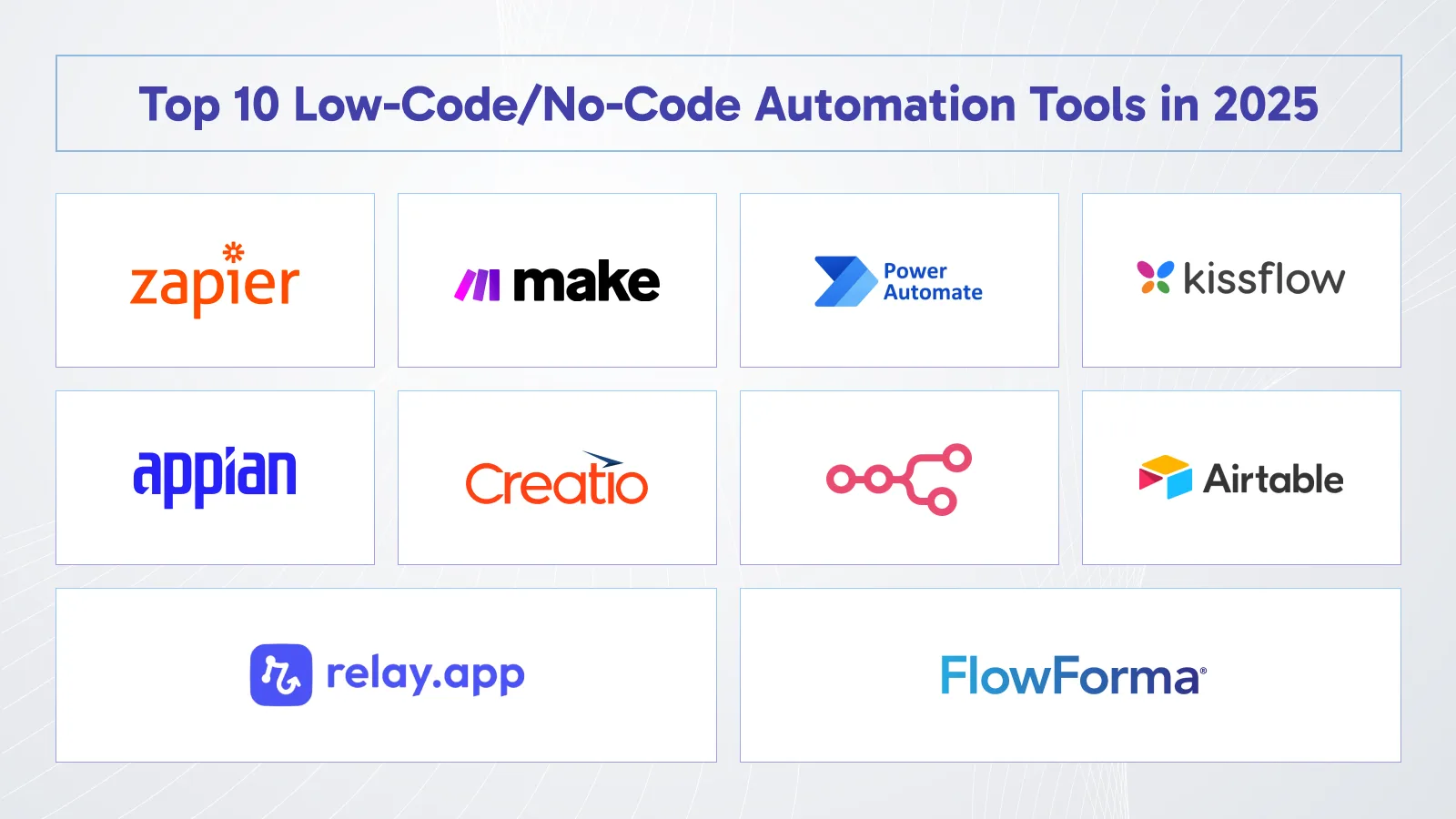
Automation platforms are not all equal. This is a candid evaluation of the best tools, who they are targeted to, and what they are actually offering.
Category 1: Workflow Integration Automation
- Zapier – Best for Simplicity and Breadth of Integration
The simplest point of access to automation is Zapier. It has 6,000+ app integrations and the user interface that doesn’t need any technical expertise, which is why most businesses begin there.
What makes it stand out: The biggest library in the market when it comes to integration. In case there is any need to integrate two SaaS-based tools, Zapier is likely to have a connector.
Where it falls short: Gets expensive at high volumes. Complex conditional logic requires workarounds. Not ideal for heavy data transformation.
Pricing: Free (100 tasks/month) → Starter ($20/mo) → Professional ($49/mo) → Team ($299/mo)
Best for: Small to mid-size businesses automating marketing, sales, and operational workflows across popular SaaS tools
- Make (formerly Integromat) – Best for Complex Automation Logic
Make is what you graduate to when Zapier‘s limitations start showing. Its visual flowchart builder handles complex branching logic, data transformation, and high-volume scenarios at a fraction of Zapier’s cost.
What is special about it: Visual scenario builder demonstrates the movement of data precisely. State-of-the-art routing and error management. 10 times less expensive than Zapier at scale.
Where it falls short: Steeper learning curve. Fewer pre-built integrations than Zapier.
Pricing: Free (1,000 ops/month) → Core ($9/mo) → Pro ($16/mo) → Teams ($29/mo)
Best for: Power users, agencies and complex multi step automation requirements.
- Microsoft Power Automate – Best for Microsoft Ecosystem
In case your company operates on Microsoft 365, the logical automation option would be Power Automate. It is uniquely powerful in Microsoft-centric organizations, being deeply integrated with Teams, SharePoint, Dynamics 365, and Office.
What makes it stand out: Native Microsoft integration. Ready-made models of intelligent automation (AI Builder). Lots of Microsoft 365 licenses include it.
Where it falls short: Limited outside Microsoft ecosystem. Interface less intuitive than Zapier or Make.
Pricing: Included with M365 (limited) → Per User ($15/mo) → Per Flow ($100/mo per flow)
Best for: Enterprises using Microsoft 365, SharePoint, and Dynamics 365
Category 2: Business Process Automation
- Kissflow – Best for Business Process Management
The simplicity and ease of use of Kissflow is one of the reasons why it is the best no-code automation tool. It provides superb scalability, which is suitable to any business in any industry. The platform at Kissflow is flexible and capable of being unique to fit the requirements of a particular purpose, such as automating one process and introducing a complex workflow.
What makes it stand out: Combines workflow automation, project management, and app creation. Approval workflow processes can be developed by business users without IT participation.
Where it falls short: Enterprise-only pricing makes it unaffordable to smaller businesses.
Pricing: Custom enterprise pricing
Best for: Mid to large businesses with complicated approval workflow and business processes.
- Appian – Best for Enterprise Process Automation
Appian is targeted at organizations whose processes are complex and heavy with compliance at scale. Consider loan processing, insurance claims, government workflows, processes that have many departments and have high audit requirements.
What makes it stand out: Exceptional process modeling and compliance tracking. Maintains detailed audit trails. Handles high-volume, mission-critical processes.
Where it falls short: Enterprise pricing. Overkill for simple automation needs.
Pricing: Custom enterprise pricing
Best for: Financial service, insurance, government, and healthcare large organizations.
- Creatio – Best for CRM-Centric Process Automation
The combination of CRM and a robust engine of no-code process automation will make Creatio a good fit in the business where customer processes play a key role in the operation.
What makes it stand out: Built-in CRM is free of integration issues. Vigorous process automation throughout the customer lifecycle.
Where it falls short: Higher cost than pure automation tools. Most suitable when you require CRM capability as well.
Pricing: Growth ($25/user/mo) → Enterprise ($55/user/mo) → Unlimited (Custom)
Best for: Sales, marketing, and service teams needing unified CRM and process automation
Category 3: Specialized Automation
- n8n – Best for Technical Teams Wanting Full Control
n8n is a free and open-source automation platform that provides technical departments with total access to their automation platform. Self-host it, customize it, and avoid per-task pricing entirely.
What makes it stand out: Open-source and self-hostable. No per-task pricing. Extensive customization. Strong developer community.
Where it falls short: Requires technical knowledge to set up and maintain. Not beginner-friendly.
Pricing: Free (self-hosted) → Cloud plans from $20/month
Best for: Technical teams wanting maximum control and no usage-based pricing
- Airtable Automations – Best for Data-Centric Workflows
Airtable’s built-in automation layer makes it easy to trigger actions based on data changes in your Airtable base—perfect for teams already living in Airtable.
What makes it stand out: Zero learning curve for Airtable users. Tight integration with your data. Good for notification and update workflows.
Where it falls short: Limited to Airtable-centric workflows. Not suitable for complex cross-platform automation.
Pricing: Included with Airtable plans ($0 – $45/user/mo)
Best for: Teams managing operations, projects, or content in Airtable
- Relay.app – Best for Human-in-the-Loop Automation
Relay.app fills a gap that pure automation tools miss: workflows that need human judgment at specific steps. Automate the routine parts while routing decisions to the right person.
What makes it stand out: Human approval steps built natively into automated workflows. Excellent for compliance-sensitive processes that can’t be fully automated.
Where it falls short: Newer platform with fewer integrations than established tools.
Pricing: Free → Team ($9/user/mo) → Business ($18/user/mo)
Best for: Teams with compliance requirements or processes needing human oversight
- FlowForma – Best for Regulated Industries
FlowForma is purpose-built for process automation in regulated environments—healthcare, finance, legal—where compliance documentation, audit trails, and governance are non-negotiable.
What makes it stand out: Built-in compliance features. Strong audit trail capabilities. Integrates with Microsoft 365 and SharePoint.
Where it falls short: More expensive than general-purpose tools. Limited to compliance-focused use cases.
Pricing: Custom enterprise pricing
Best for: Healthcare, finance, legal, and government organizations with strict compliance requirements
Quick Platform Comparison
|
Tool |
Best For |
Ease of Use |
Price Entry |
Integrations |
|
Zapier |
Simple automation |
⭐⭐⭐⭐⭐ |
Free |
6,000+ |
|
Make |
Complex workflows |
⭐⭐⭐⭐ |
Free |
1,500+ |
|
Power Automate |
Microsoft shops |
⭐⭐⭐ |
Included with M365 |
500+ |
|
Kissflow |
BPM/Enterprise |
⭐⭐⭐⭐ |
Enterprise |
50+ |
|
Appian |
Mission-critical |
⭐⭐⭐ |
Enterprise |
100+ |
|
n8n |
Technical teams |
⭐⭐ |
Free (self-hosted) |
400+ |
|
Relay.app |
Human-in-loop |
⭐⭐⭐⭐ |
Free |
100+ |
|
Airtable |
Data workflows |
⭐⭐⭐⭐⭐ |
Free |
Built-in |
Step-by-Step: How to Implement Automation in Your Business
Most failed automation projects aren’t caused by bad tools—they’re caused by poor planning. Follow this process to ensure your automation delivers real results.
Phase 1: Audit Your Processes (Week 1)
Before touching any platform, map what you’re automating.
Step 1: Run a Manual Process Audit Spend one week logging every repetitive task your team performs:
- What triggers it?
- Who does it?
- How long does it take?
- How often does it happen?
- What could go wrong?
Step 2: Calculate the Cost of Manual Work For each process, calculate: (time in minutes × frequency per month × hourly rate) ÷ 60 = monthly cost. This becomes your baseline ROI measurement.
Step 3: Prioritize by Impact and Complexity Score each process on two dimensions:
- Impact (1-5): How much time/money does automation save?
- Complexity (1-5): How difficult will it be to automate?
Start with high-impact, low-complexity processes. These are your quick wins.
Phase 2: Choose Your Platform (Week 1-2)
Don’t choose a platform based on reviews or brand recognition—choose based on your specific requirements.
Key questions to answer:
- What tools do you need to connect? (Check integrations before committing)
- How technical is your team? (Determines no-code vs low-code choice)
- What’s your monthly task volume? (Determines pricing tier)
- Do you have compliance requirements? (Narrows platform options significantly)
- Are you in the Microsoft ecosystem? (Power Automate becomes obvious choice)
Pro tip: Most platforms offer free tiers or trials. Build your first three automations on the free tier before committing to a paid plan.
Phase 3: Build Your First Automation (Week 2)
Don’t start with your most complex process. Start with something simple to learn the platform and demonstrate value.
Your first automation should be:
- Triggered by a clear, specific event (not ambiguous conditions)
- Involving no more than 3-4 steps
- Easy to verify it’s working correctly
- Saving at least 2-3 hours per week
Example starting point: Lead capture → CRM record created → Welcome email sent → Slack notification to sales rep.
Build process:
- Define trigger and test it fires correctly
- Add first action and verify output
- Add subsequent actions one at a time
- Test with real data
- Monitor for 48 hours before expanding
Phase 4: Scale and Govern (Ongoing)
Low-code automation makes it easy for non-technical teams to build their own workflows without relying on engineers. It’s great for speed, but it can introduce Shadow IT when unofficial, unmanaged tools pop up outside of IT’s oversight.
Prevent this with proper governance:
Establish a Naming Convention: Every automation should have a clear name that describes what it does: “SALES_Lead-Capture_HubSpot-to-Slack” is better than “Automation 47.”
Create a Central Registry: Maintain a shared document or Airtable base listing every active automation, its purpose, owner, and last-reviewed date.
Set Review Schedules: Every automation should be reviewed quarterly. Tools change APIs, business processes evolve, and stale automations cause errors.
Document Error Handling: Every automation needs an error protocol—who gets notified, what happens to failed data, how errors are resolved.
Common Challenges and How to Solve Them
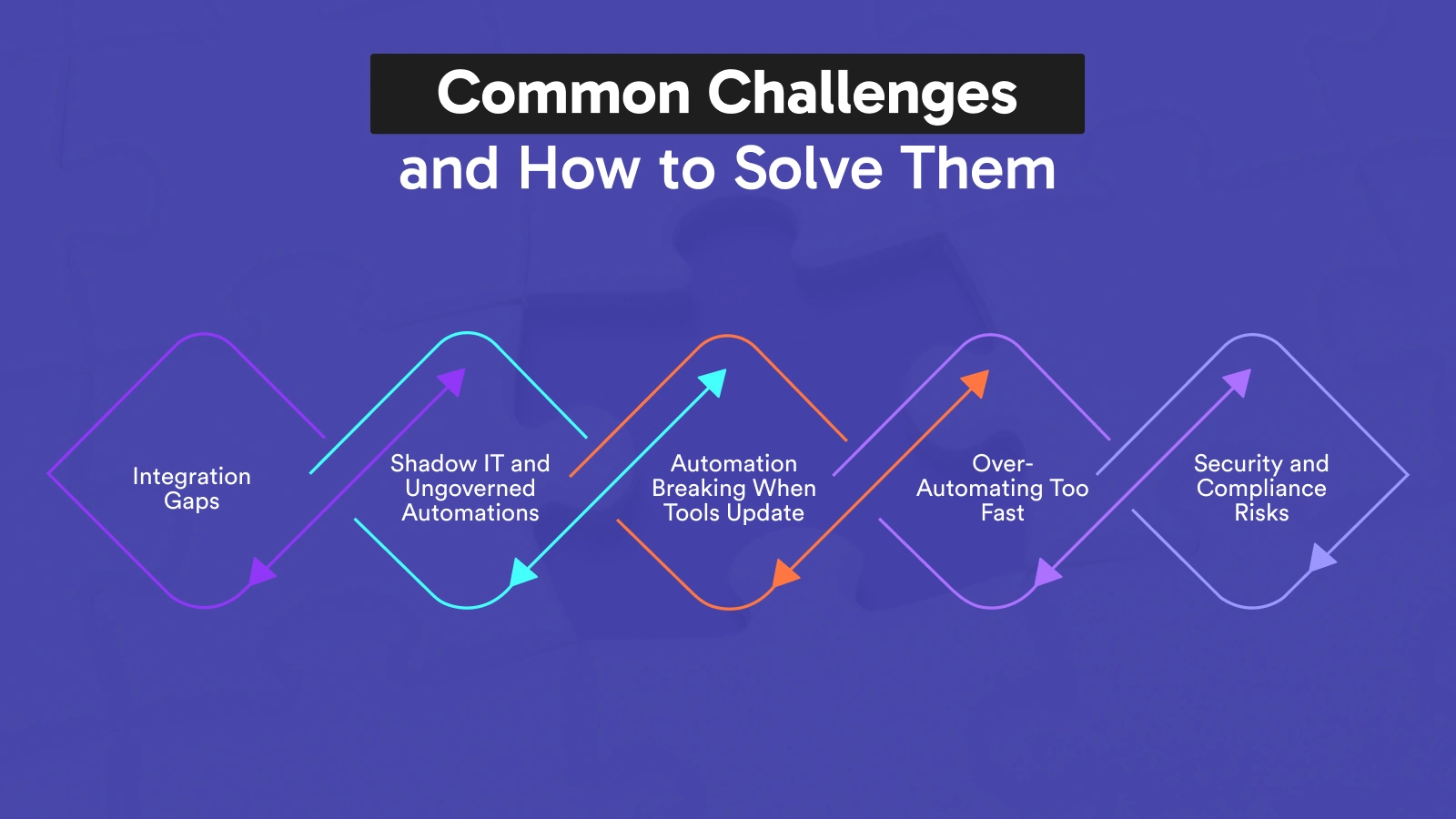
Every automation journey hits obstacles. Here’s what to expect and exactly how to handle it.
Challenge 1: Integration Gaps
The Problem: Your critical tool isn’t supported by your chosen platform.
The Solution:
- Check for webhook support (most modern tools support webhooks as a universal connector)
- Use a middleware tool (Zapier and Make can bridge gaps)
- Use the HTTP/API module to connect directly to any REST API
- Consider switching to a tool that has native integration if the gap is critical
Challenge 2: Shadow IT and Ungoverned Automations
The Problem: A marketing team automates lead tracking without IT involvement. They connect customer forms to a spreadsheet, trigger Slack notifications, and send automated follow-ups. It works now, but over time leads to security gaps—no one in IT knows these automations exist, meaning no security reviews, compliance checks, or backups. Critical customer data ends up in unofficial databases.
The Solution:
- Establish approved platforms before teams self-select tools
- Create a lightweight governance process—a 15-minute approval, not a bureaucratic nightmare
- Build a Center of Excellence that offers support rather than gatekeeping
- Make official tools better and easier than shadow IT alternatives
Challenge 3: Automation Breaking When Tools Update
The Problem: A platform updates its API or changes its interface, breaking automations that worked for months.
The Solution:
- Monitor automations with error notifications—set up alerts for failures
- Review automations when you receive tool update notifications
- Use official, maintained integrations over custom webhook setups where possible
- Document what each automation does so repairs are quick
Challenge 4: Over-Automating Too Fast
The Problem: Teams automate everything at once, creating a complex web of interdependent automations that becomes impossible to troubleshoot.
The Solution:
- Automate one process fully before starting the next
- Document dependencies between automations
- Test edge cases before deploying to production
- Keep automations as simple as possible—resist the urge to add complexity
Challenge 5: Security and Compliance Risks
The Problem: Automations passing sensitive data between systems create new security vectors. Regulated industries face compliance exposure if automations aren’t properly governed.
The Solution:
- Audit data flows—know exactly what data each automation touches
- Use platforms with SOC 2, HIPAA, or GDPR compliance certifications for sensitive data
- Apply principle of least privilege—automations should only access the data they need
- Log all automation activity for audit purposes
How LCNC Automation Builds Your Brand Authority and DA
This section is what most automation guides miss entirely—and it’s directly relevant to you.
Using and demonstrating expertise in low-code/no-code automation isn’t just about operational efficiency. It’s a brand-building asset.
Publish Your Automation Results
When you implement automation and achieve measurable results, document them. Case studies that say “we reduced invoice processing from 5 days to same-day using no-code automation” are the kind of specific, data-backed content that:
- Earns natural backlinks from industry publications
- Builds E-E-A-T signals Google rewards with higher rankings
- Positions your brand as a practitioner, not just a commentator
- Attracts prospects who want the same results
Build Automation Resources
Create downloadable automation templates, checklists, and workflow diagrams. These resource pages:
- Attract backlinks from resource roundups
- Generate email sign-ups (building your list while building DA)
- Create natural anchor text linking opportunities to deeper content
Internal Linking That Builds Topical Authority
Topical authority beats volume. It’s better to own one subject thoroughly than scatter across dozens. A cluster of detailed, interlinked content on a subject will outperform 20 disconnected blogs.
This automation guide connects directly to our broader ecosystem:
- Understanding the foundations? Read our Complete Guide to Low-Code and No-Code Software Development — the pillar content that covers everything from basics to enterprise implementation
- Evaluating your options? See our Top No-Code/Low-Code Tools for Business Applications in 2025 — detailed reviews comparing platforms across every category
- Ready to build custom solutions? Our upcoming guide on Low-Code/No-Code Development covers building full applications, not just automating existing processes
This cluster approach—pillar page supported by multiple deep-dive posts—is exactly how topical authority is built and how Google determines whether a site deserves top rankings.
Future Trends in LCNC Automation
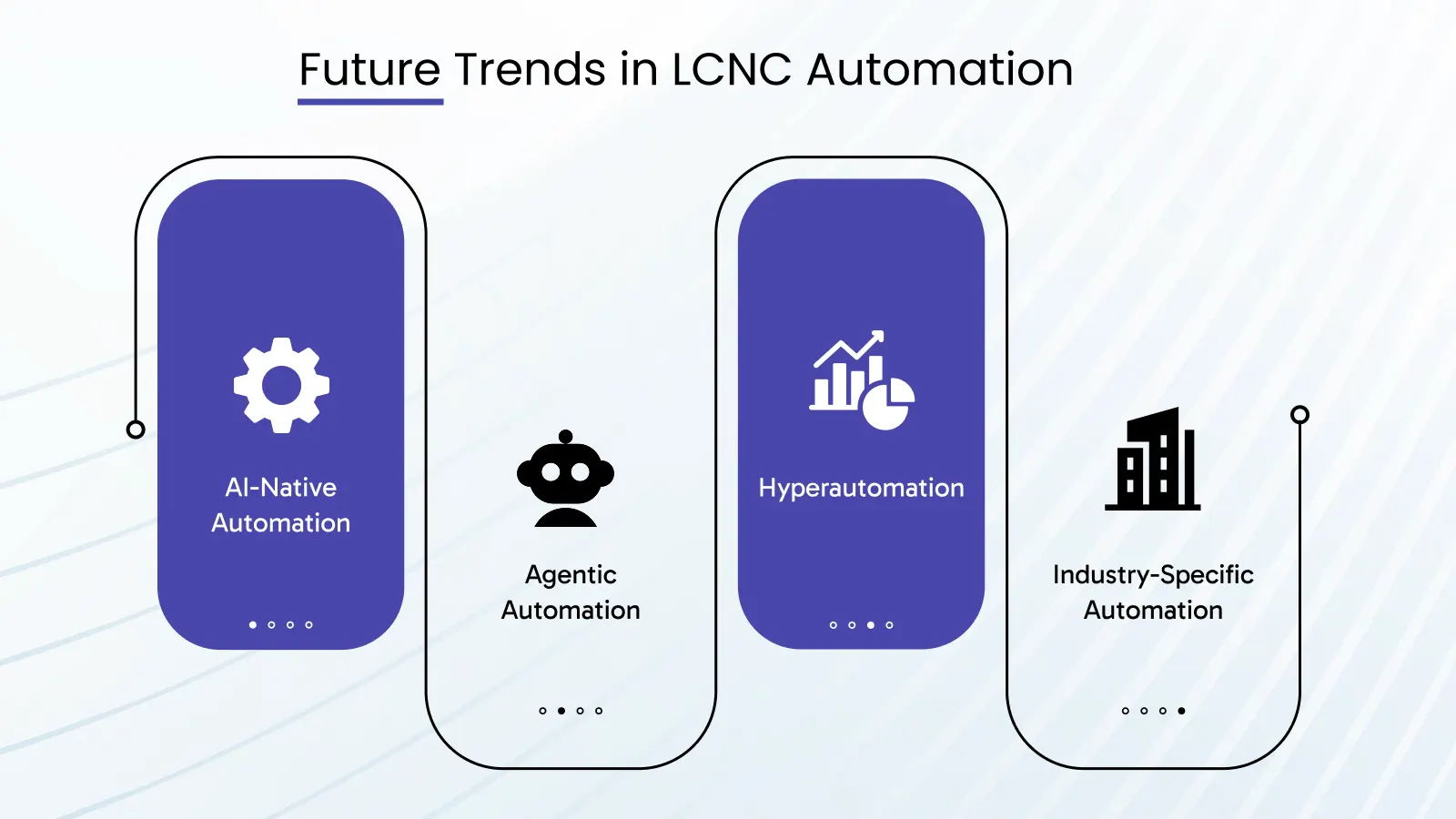
Understanding where this space is heading helps you make better platform choices today and position your organization for the next wave of capability.
AI-Native Automation
The distinction between “automation” and “AI” is blurring rapidly. Vibe coding is an AI-assisted method of building software where a person describes their project idea in natural language to an AI, which then generates the app or code.
The same principle is being applied to automation. Natural language workflow builders—describe what you want automated in plain English, and the platform builds the workflow—are moving from experimental to mainstream. Platforms like Zapier, Make, and Power Automate have all launched AI-assisted workflow creation features in 2025.
What this means for your automation strategy: Complexity is no longer a barrier. Workflows that previously required technical expertise to configure will be accessible to anyone who can describe a process clearly.
Agentic Automation
Platforms can be agentic, meaning you can give them a desired output or goal and the platform can use AI to figure out how best to achieve that goal. Users don’t have to be prescriptive about each step.
Traditional automation is rule-based: IF this happens, THEN do that. Agentic automation is goal-based: achieve this outcome, figure out the steps yourself. This represents a fundamental shift from automating defined processes to delegating goals.
Early examples already exist: AI agents that manage calendar scheduling, customer service responses, and research tasks without step-by-step programming.
Hyperautomation
Gartner coined the term “hyperautomation” to describe the combination of LCNC tools, AI, RPA (Robotic Process Automation), and process mining into a unified automation fabric. Rather than isolated automations, organizations build interconnected automation ecosystems where tools work together to handle end-to-end business processes.
Enterprises have been struggling to align with increasing demands for IT modernization and hyper-automation. Both low-code and no-code automation solutions have emerged as viable and convenient solutions for enterprises to automate their processes quickly and effectively.
Industry-Specific Automation Platforms
General-purpose tools like Zapier and Make are being supplemented by industry-specific platforms pre-loaded with sector-relevant workflows. Healthcare automation platforms that come with HIPAA compliance built-in. Financial services platforms pre-configured for regulatory reporting. Construction platforms with inspection and permitting workflows ready to deploy.
This reduces implementation time for specialized industries from weeks to hours.
Getting Started: Your First Automation in 30 Minutes
You’ve read the strategy. Now it’s time to build something. Here’s how to create your first working automation in 30 minutes using Zapier (free tier):
The Goal: Capture Leads to CRM + Slack Notification
What you’re building: When someone fills out your website contact form, automatically create a contact in your CRM and send a Slack message to your sales channel.
What you need:
- Zapier free account (zapier.com)
- Your contact form platform (Typeform, Google Forms, Gravity Forms, etc.)
- A CRM (HubSpot free tier works)
- Slack workspace
Step 1 (5 minutes): Create your Zap Log into Zapier → Click “Create Zap” → Search for your form platform → Select “New Submission” as trigger
Step 2 (5 minutes): Connect your form Authenticate your form account → Select the specific form → Test trigger to import sample data
Step 3 (5 minutes): Add CRM action Click “+” to add action → Search HubSpot → Select “Create Contact” → Map form fields to CRM fields (first name, last name, email, etc.)
Step 4 (5 minutes): Add Slack notification Click “+” to add second action → Search Slack → Select “Send Channel Message” → Choose your sales channel → Compose message using form data (e.g., “New lead: {{First Name}} {{Last Name}} from {{Company}}”)
Step 5 (5 minutes): Test and activate Run test → Verify contact appears in HubSpot → Verify Slack message sent → Turn Zap ON
Step 6 (5 minutes): Submit a real test Fill out your own form → Confirm automation fires correctly → Monitor for 24 hours
Congratulations. You’ve just automated a process that was previously eating 10-15 minutes of manual work every time a lead arrived. Scale this to 50 leads per month and you’ve saved 8-12 hours—before you’ve built anything else.
From here, you can layer complexity: add lead scoring based on company size, route to different reps by geography, trigger different email sequences based on the product they expressed interest in.
Every great automation program starts with one Zap like this.
Conclusion: Automation Is No Longer Optional
This technology fundamentally shifts who owns process automation. Instead of translating requirements to engineering teams and waiting for development cycles, domain experts deploy and modify workflows themselves. An operations manager can launch a new approval process in the morning and adjust the logic that afternoon based on real-world results.
That’s the real promise of low-code/no-code automation—not just efficiency gains, but a fundamental transfer of power from IT queues to the people who understand the processes best.
When business teams build their own workflows, IT focuses on strategic initiatives instead of maintenance requests. Some organizations report 60% reduction in IT ticket volume.
The businesses winning in 2025 aren’t the ones with the most developers. They’re the ones that have figured out how to move fast, eliminate waste, and continuously improve operations—using tools that put that power in everyone’s hands.
Your competitors are already automating. The question isn’t whether to start. It’s how much ground you want to give up before you do.
Next Steps
Start Here: If you’re new to automation, start with Zapier’s free tier and build the lead capture workflow above. Prove the concept in your business before investing in premium tools.
Go Deeper: Want to understand the full spectrum of what’s possible—not just automation but building complete applications without code? Read our Complete Guide to Low-Code and No-Code Software Development — the most comprehensive resource available on this topic.
Compare Your Options: Evaluating specific platforms? Our Top 30 No-Code/Low-Code Tools for Business Applications in 2025 gives you honest, detailed reviews of every major platform.
Build, Not Just Automate: Our upcoming guide on Low-Code/No-Code Development covers building full custom applications—the next step beyond connecting existing tools.
Need Expert Guidance? Our team specializes in helping businesses identify their highest-value automation opportunities, select the right platforms, and implement workflows that deliver measurable ROI. Contact us for a free automation audit—we’ll identify your top 5 automation opportunities at no charge.
Ready to Automate Your Business — The Right Way?
Most businesses leave 60–70% of their automation potential untapped. Our team helps you find it, build it, and measure it — fast.

Sandeep Kaur
No-Code low-Code Expert
Related Articles
Read expert takes on custom software development, digital trends, and real-world , growth strategies — straight from the minds at TechMarcos.
Frequently Asked Questions About Low-Code/No-Code Automation

What is low-code/no-code automation?
Low-code/no-code automation is the use of visual, drag-and-drop platforms to build automated business workflows without writing traditional code. Instead of hiring developers to program each step, business users configure automations through intuitive interfaces — connecting apps, defining triggers, setting conditions, and specifying actions. A no-code automation platform handles all the underlying technical complexity automatically. Examples include automatically routing leads from a contact form into your CRM, sending approval requests when invoices are submitted, or notifying your team in Slack when a new customer signs up. The result: manual, repetitive processes run automatically — saving time, reducing errors, and freeing your team to focus on higher-value work.
Is no-code automation better than low-code automation?
Neither is universally better — they serve different needs. No-code automation is better when your team has no technical background, speed of deployment is the priority, and workflows are straightforward (trigger → condition → action). Low-code automation is better when you need custom logic beyond what visual tools offer, when integrating with legacy enterprise systems, or when building automation that will scale to thousands of users. For most small to mid-sized businesses, no-code automation delivers 80-90% of the value with 10% of the complexity. Enterprises typically use a hybrid approach: no-code automation for departmental workflows, low-code automation for mission-critical processes.
What are the best no-code automation tools in 2025?
The best no-code automation tools in 2025 depend on your use case:
- Best for technical teams wanting full control: n8n (open-source, self-hosted)
- Best for enterprise business processes: Kissflow or Appian
- Best for Microsoft ecosystem users: Microsoft Power Automate
- Best for complex workflows at lower cost: Make (formerly Integromat)
- Best for beginners and broad integrations: Zapier (6,000+ app connections, zero learning curve)
- Best for human-in-the-loop workflows: Relay.app
For a full comparison of platforms including pricing, integrations, and honest pros and cons, see our Top 15 No-Code/Low-Code Tools for Business Applications in 2025.
Is no-code automation secure enough for business use?
Yes — when implemented correctly. Modern no-code automation platforms are built with enterprise-grade security standards. Leading platforms carry SOC 2 Type II certification, GDPR compliance, HIPAA readiness (for healthcare), end-to-end data encryption, and role-based access controls. The security risk with no-code automation isn’t the platforms themselves — it’s ungoverned implementation. When employees build automations without IT oversight (shadow IT), sensitive data can flow through unsanctioned systems without security reviews. The solution is establishing a governance framework: approved platforms, a central automation registry, and a lightweight review process before automations go live. Properly governed no-code automation is as secure as any enterprise software solution.
Can large enterprises use no-code automation?
Absolutely — and increasingly, they are. Enterprises like Coca-Cola, Siemens, Toyota, and Zurich Insurance have deployed no-code and low-code automation at scale across thousands of employees. The key for enterprise adoption is choosing platforms with enterprise-grade features: SSO (Single Sign-On), detailed audit logs, admin controls, compliance certifications, and multi-environment deployment (development, staging, production). Platforms like Microsoft Power Automate, Appian, Kissflow, and Mendix are purpose-built for enterprise requirements. The most successful enterprise implementations use a Center of Excellence model: a central team that governs standards, provides templates and training, and supports citizen developers across departments.
How long does it take to implement no-code automation?
Simple automations can be built and deployed in under 30 minutes. A lead capture workflow connecting your contact form to your CRM and Slack takes roughly 20-30 minutes on Zapier. More complex multi-step workflows with conditional logic and multiple integrations typically take 2-8 hours. End-to-end business process automation (full employee onboarding, complete claims processing) can take 1-4 weeks when including process mapping, testing, and iteration. The implementation timeline depends on three factors: complexity of the process, number of tools being connected, and the builder’s familiarity with the platform. Most teams become proficient enough to build production-ready automations within 2-3 weeks of starting.
What is citizen development automation and why does it matter?
Citizen development automation refers to non-technical business users — marketers, HR managers, operations staff, finance analysts — building and managing their own automated workflows without relying on IT departments. It matters because the demand for automation far outpaces what IT teams can deliver. Application backlogs at most organizations stretch 6-18 months. Citizen development automation bridges this gap by empowering the people who understand processes best — the people who actually do the work — to automate their own workflows. Low-code/no-code automation platforms are the enabling technology. When properly governed, citizen development reduces IT bottlenecks, accelerates innovation, and delivers automation ROI faster than any IT-led approach. Read more about this trend in our Complete Guide to Low-Code and No-Code Software Development.